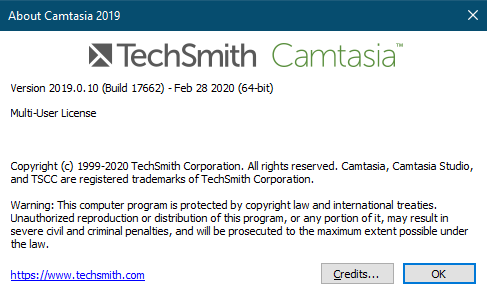
Download version 2019, from Techsmith download old version
https://www.techsmith.com/download/oldversions
1. Sau khi cài đặt, phần mềm tự động start,
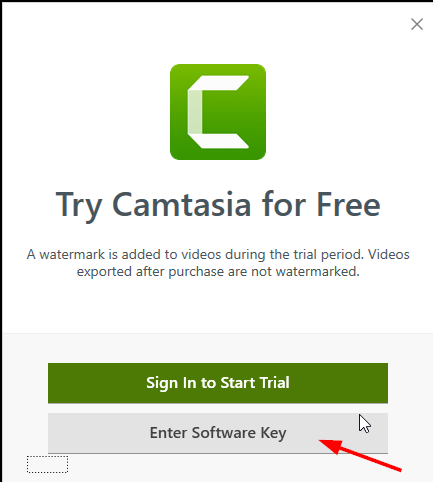
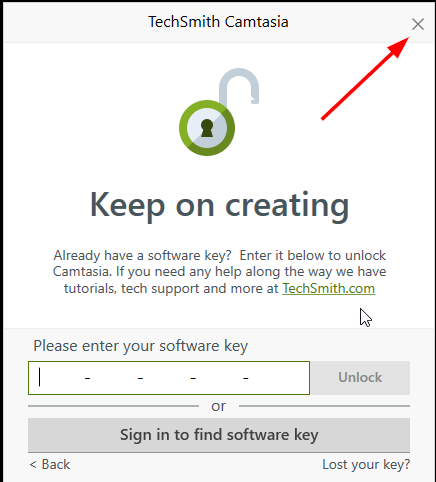
chọn Nhập Key > Không Nhập > Thoát ra.
Chú ý: Không được connect dùng thử
2. Mở file RegInfo.ini bằng notepad
Trong folder C:\ProgramData\TechSmith\Camtasia Studio 19
Copy đoạn code bên dưới vào file
[RegistrationInfo]
RegisteredTo=Nothing1010
RegistrationKey=BBCUV-UVDRC-M8C5S-CHMX7-2M3A5
ValidationData1=1
ValidationData2=1
ValidationData3=1
ValidationData4=1
ValidationData5=1
3. Sử dụng 1 trong những Serial Keys sau để thay thế:
BBCUV-UVDRC-M8C5S-CHMX7-2M3A5
C5KGC-FZER8-5MT5C-CCDZP-2DDA4
E5CUV-SCNDU-54GCC-CDC2T-AMEDM
KAM4U-HU5CC-CPUCC-AGKGC-L4D6F
Y69CD-625CK-ANM4C-HMMAD-A55MF
HXCZE-9R4HX-CJLCC-CAHYZ-CBF4F
9RBCV-DY69D-C3XCC-HM2DL-ADADB
4. Click chuột phải vào file
RegInfo.ini chọn Properties => tích Read Only => Ok.
5. Cuối cùng thêm vào file host:
127.0.0.1 www.techsmith.com
127.0.0.1 activation.cloud.techsmith.com
127.0.0.1 oscount.techsmith.com
127.0.0.1 updater.techsmith.com
127.0.0.1 camtasiatudi.techsmith.com
127.0.0.1 tsccloud.cloudapp.net
127.0.0.1 assets.cloud.techsmith.com
Tham khảo link: https://thuthuataz.net/huong-dan-cai-camtasia-studio-541