Learning Javascipt

Create Object (tạo đối tượng) có 2 cách Object literals //đối tượng có 1 thuộc tính và 1 phương thức (method) var myCar = { brand: ‘Toyota’, run: function(){ console.log(‘running’); } }; Object constructor //Tạo 1 đối tượng mới var myApple = new Object(); //Thêm các thuộc tính cho đối tượng myApple.color = ‘red’; myApple.shape …
Learning Javascipt Read More »

Install & config ConEmu

Download here: https://conemu.github.io/ Start ConEmu with GitBash command line Config HOTKEY   Add ConEmu to Right-Click https://superuser.com/questions/454380/git-bash-here-in-conemu   Menu item: ConEmu Here Command: /single -run {Git Bash} Icon file:  C:\Program Files\ConEmu\ConEmu64.exe,0 Please click Register after config done.      

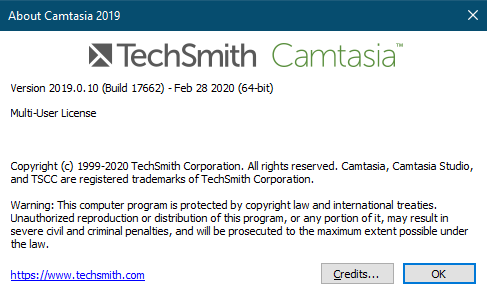
Install camtasia 2019 version

Download version 2019, from Techsmith download old version https://www.techsmith.com/download/oldversions 1. Sau khi cài đặt, phần mềm tự động start, chọn Nhập Key > Không Nhập > Thoát ra. Chú ý: Không được connect dùng thử   2. Mở file RegInfo.ini bằng notepad Trong folder C:\ProgramData\TechSmith\Camtasia Studio 19 Copy đoạn code bên dưới vào file [RegistrationInfo] …

Install camtasia 2019 version Read More »

How to change the document root in XAMPP on windows

I have installed XAMPP in C drive on my windows. Today I thought I will move my installation to another directory. After searching the web for couple of minutes, I got a solution that worked perfectly. Here are the steps you have to follow. Open the file httpd.conf from the location C:/xampp/apache/conf Search for DocumentRoot and you will get something …

How to change the document root in XAMPP on windows Read More »

Create virual host in apache

Step 1) C:\WINDOWS\system32\drivers\etc\ Open the “hosts” file : 127.0.0.1 localhost 127.0.0.1 test.com 127.0.0.1 example.com Step 2) xampp\apache\conf\extra\httpd-vhosts.conf DocumentRoot C:/xampp/htdocs/test/ ServerName www.test.com DocumentRoot C:/xampp/htdocs/example/ ServerName www.example.com Step 3) C:\xampp\apache\conf\httpd.conf. Scroll down to the Supplemental configuration section at the end, and locate the following section (around line 500), Remove the # from the beginning of the second …

Create virual host in apache Read More »

Change password root in mysql

1) Tiếp tục $ mysql -u root -p 2) sử dụng database bất kỳ (dùng db mysql mặc định) mysql> use mysql; 3)Thay đổi password của tài khoản root: mysql> update user set password=PASSWORD(“NEWPASSWORD”) where User=’root’; 4) Khởi tạo quyền mysql> flush privileges; mysql> quit